Ecwid Ecommerce Store Integration
Our Ecwid integration will automatically generate alt text for every image in your Ecwid store using our InstantAlt javascript code.
Setup
Start by logging into to your AltText.ai account, then going to the Account: Integration Settings tab, and clicking on the section labeled "Ecwid".
1. Select or Create an InstantAlt Site
The first step is to choose which InstantAlt configuration to use with your store. If you're not familiar with our InstantAlt javascript snippet, we have detailed documentation for InstantAlt here.
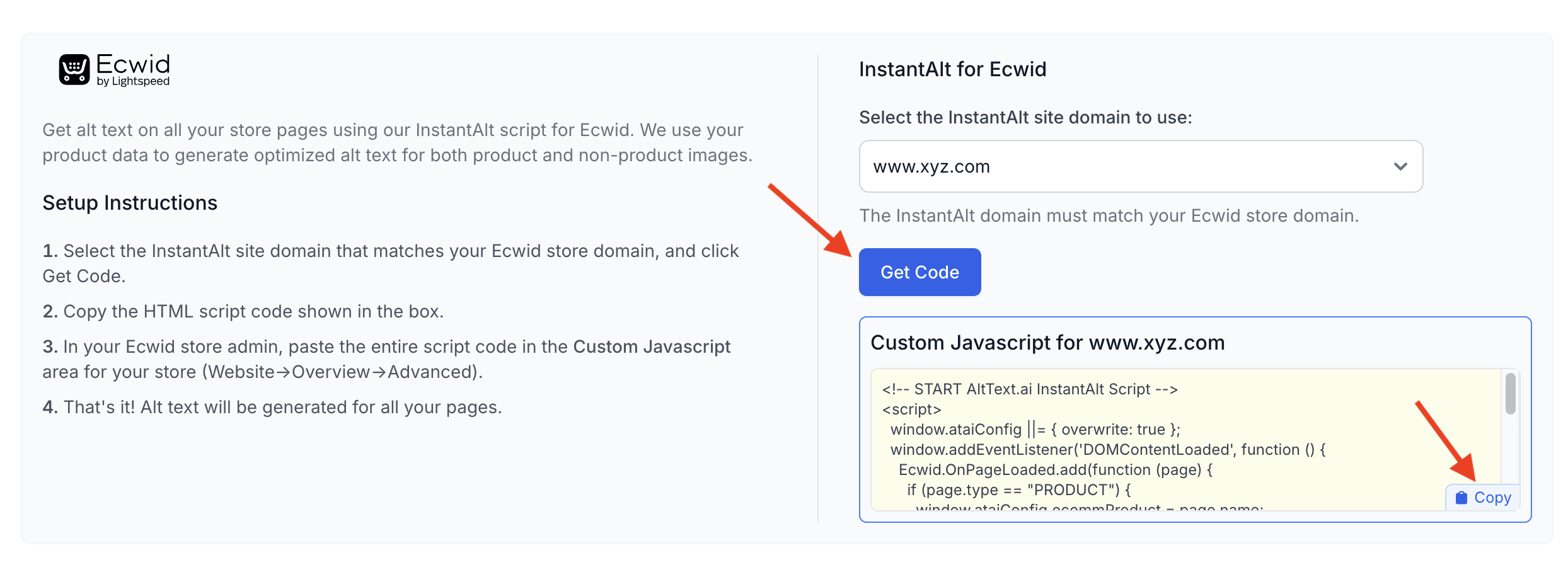
- From the dropdown menu that shows your InstantAlt sites, select the site that matches the domain of your Ecwid store.
Note
You will need an InstantAlt site which has the same domain name as your store. For example, if your store is www.balloons.com, make sure you
have created an InstantAlt site with the same www.balloons.com domain name. If you don't have any InstantAlt sites, you'll see a button to create one.
2. Generate the Javascript snippet and copy the code
The next step is to generate the complete Javascript code snippet that you will use in your Ecwid store:
- Click the Get Code button. This will generate the custom code you'll copy to your store.
-
Use the small "copy" button in the code snippet box to copy the complete code to your clipboard.
3. Paste the Javascript code into your Ecwid store
Finally, you just need to add the javascript snippet to all pages in your Ecwid store. Here's how to do it:
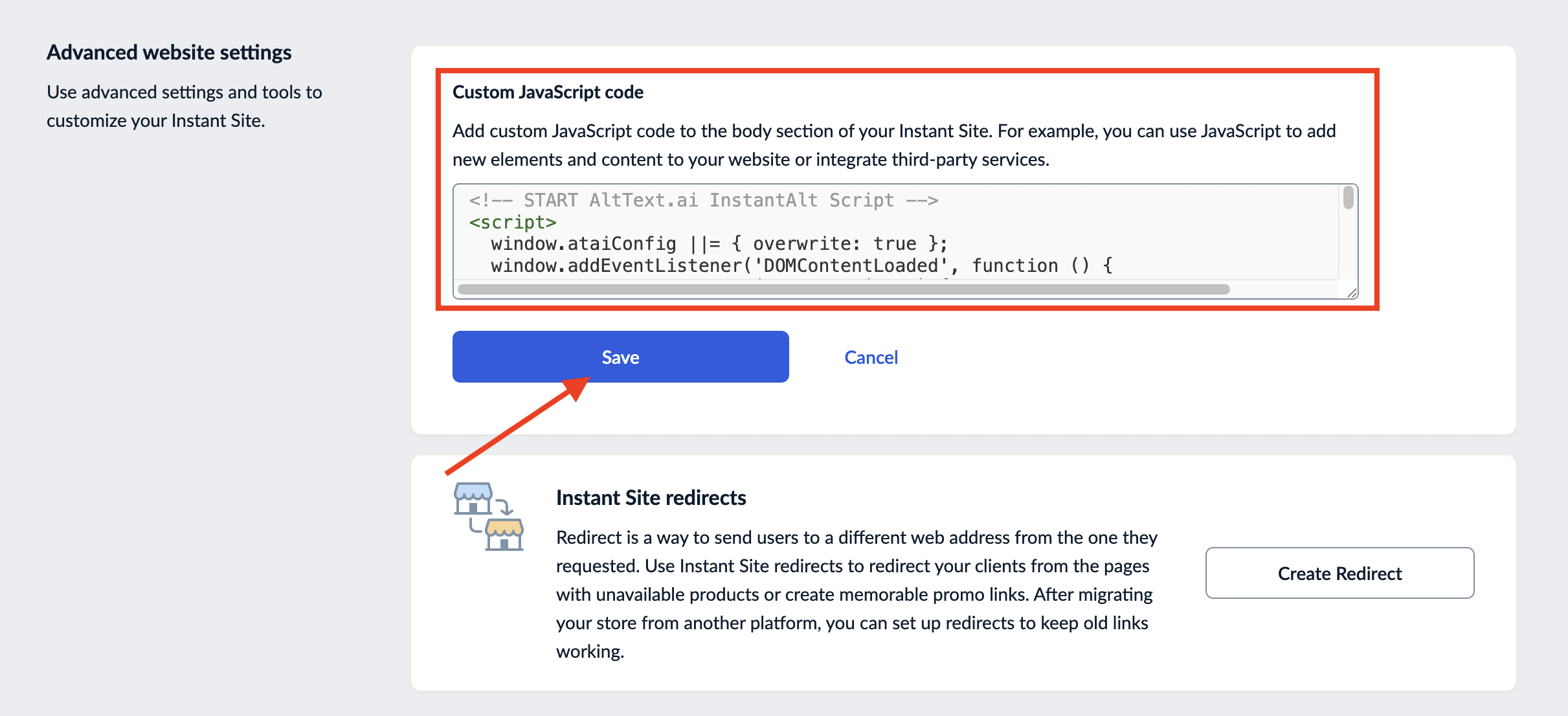
- Login to your Ecwid store admin, then go to: Website -> Overview.
- Scroll down to the Custom Javascript Code section, and click Add Code (or Edit if you already have other code added).
- Paste the javascript code snippet that you copied into the box for your Ecwid store (add it to the very bottom if you already have other code there).
- Click the Save button to make your code live.
That's all you need to do! Now all your store pages will have AltText automatically added to the images using our InstantAlt script. On your store PDP pages, we'll use your product name in the alt text for maximum SEO benefit.