Domino's Case: Why Overlays Fail ADA Website Compliance
How the landmark Robles v. Domino's case proved accessibility overlays fail true ADA compliance
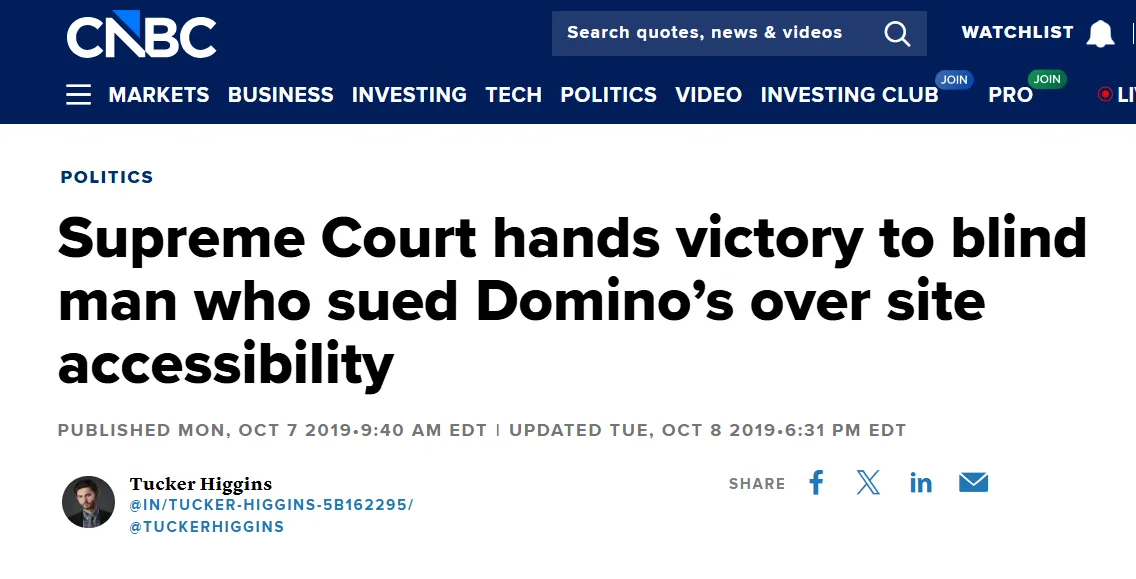
In the world of digital accessibility, few legal battles have caused as much of a stir as Robles v. Domino's Pizza. It wasn't just about ordering a pepperoni pizza; it was a landmark decision that cemented the internet as a place of public accommodation. For business owners, the message was clear: your digital front door must be open to everyone.
However, in the rush to avoid lawsuits, many companies turned to quick-fix "overlays" or widgets. Unfortunately, the data is damning. Reports show that nearly 25% of all digital accessibility lawsuits now target websites using these very widgets, proving that superficial patches fail to achieve true ADA website compliance.
Key Takeaways
- Robles v. Domino's Pizza established that websites connecting to physical businesses must comply with the ADA.
- In recent years, lawsuits against sites using overlays have increased by over 62%, proving they do not offer legal immunity.
- Automated tools used by overlays can only detect approximately 30% to 40% of WCAG errors, leaving the majority of issues unfixed.
- The court ruled that a 45-minute wait on a phone line is not an "equal" alternative to an accessible website.
- AltText.ai remediates image accessibility at the source code level, solving one of the most common compliance failures.
The Domino's Case: A Digital Turning Point
When Guillermo Robles, a blind man using a screen reader, tried to order a pizza from Domino's website and app, he hit a digital wall. The buttons weren't labeled, and the navigation was impossible to use with his assistive technology.
Domino's argued that because the Department of Justice hadn't issued specific technical regulations for the web, they shouldn't be liable. The courts disagreed. After six years of litigation, the case settled, but not before costing Domino's millions in legal fees and brand reputation.
The ruling affirmed that the Americans with Disabilities Act (ADA) applies to the digital world. This sent businesses scrambling for ADA website compliance.
What Are Accessibility Overlays?
You've seen them. Little accessibility icons floating in website corners. Click one and you get a menu - adjust text size, change contrast, read the page aloud.
Vendors promise instant ADA website compliance. One line of JavaScript. Done. For a business owner terrified of a Domino's-style lawsuit, this sounds like a miracle.
Except the stats tell a different story.
According to UsableNet, lawsuits against companies using these widgets have skyrocketed. Some years saw a 62% increase. If overlays worked, that number should be zero.
Why Overlays Fail the Domino's Test
The core issue in the Domino's case was that the website's underlying code was incompatible with the plaintiff's screen reader. Overlays generally do not change the source code of a website; they sit on top of it.
Data shows that automated scanning tools, the technology overlays rely on, can only detect about 30% to 40% of Web Content Accessibility Guidelines (WCAG) issues. This means roughly 70% of errors, such as keyboard traps or illogical navigation flow, remain completely untouched.
To achieve genuine ADA website compliance, your site must work with the tools disabled users already have (like JAWS or NVDA), not force them to use a clumsy widget.
The "Separate but Equal" Fallacy
Legal experts often compare overlays to a "separate but equal" approach, which has long been rejected in civil rights law. When you force a user with a disability to use a specific widget because your main site is broken, you are essentially segregating them.
In the Robles case, the court noted that offering a phone number as an alternative was insufficient because users faced an average wait time of 45 minutes. That is not "equal" access.
Similarly, surveys from WebAIM indicate that 67% of screen reader users rate overlay tools as difficult to use or completely ineffective. Many users even install browser extensions specifically to block these overlays because they interfere with their native software. True ADA website compliance means the main site itself is accessible by default.
The Hidden Danger of "Dark Data" and Images
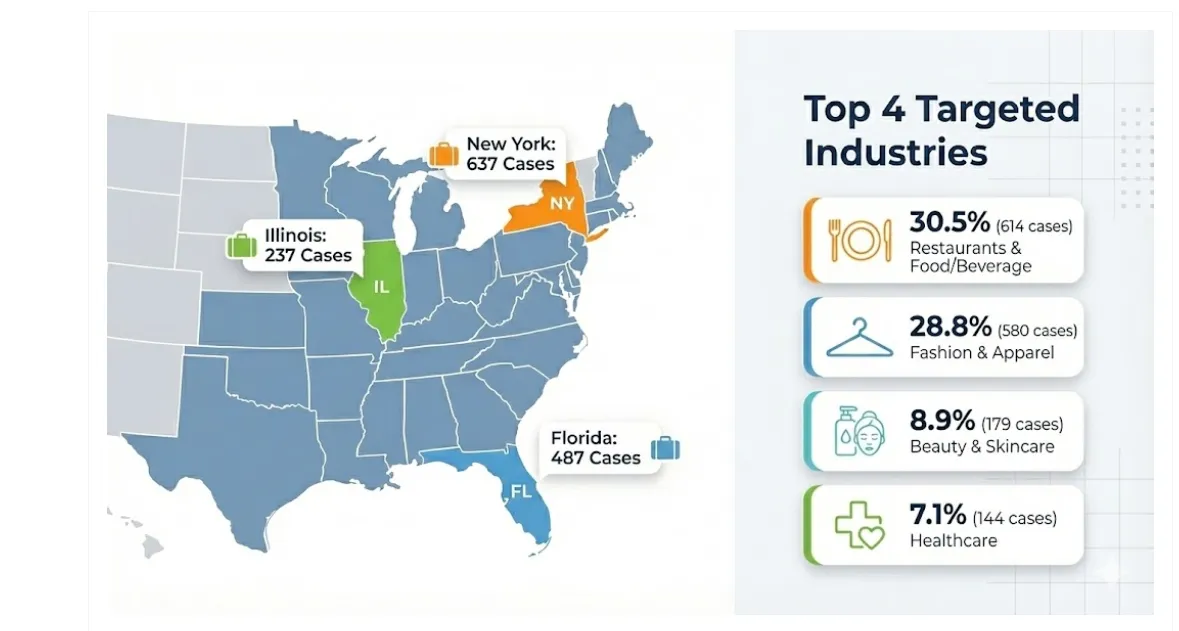
One of the most common failures in ADA website compliance is missing alternative text (alt text) for images. In e-commerce, which accounts for 69-82% of all digital accessibility lawsuits, unlabeled product images are a critical liability.
Overlays claim to use AI to "see" images and describe them on the fly. However, this real-time recognition is often generic. An overlay might describe a specific pepperoni pizza simply as "food," which is useless to a shopper.
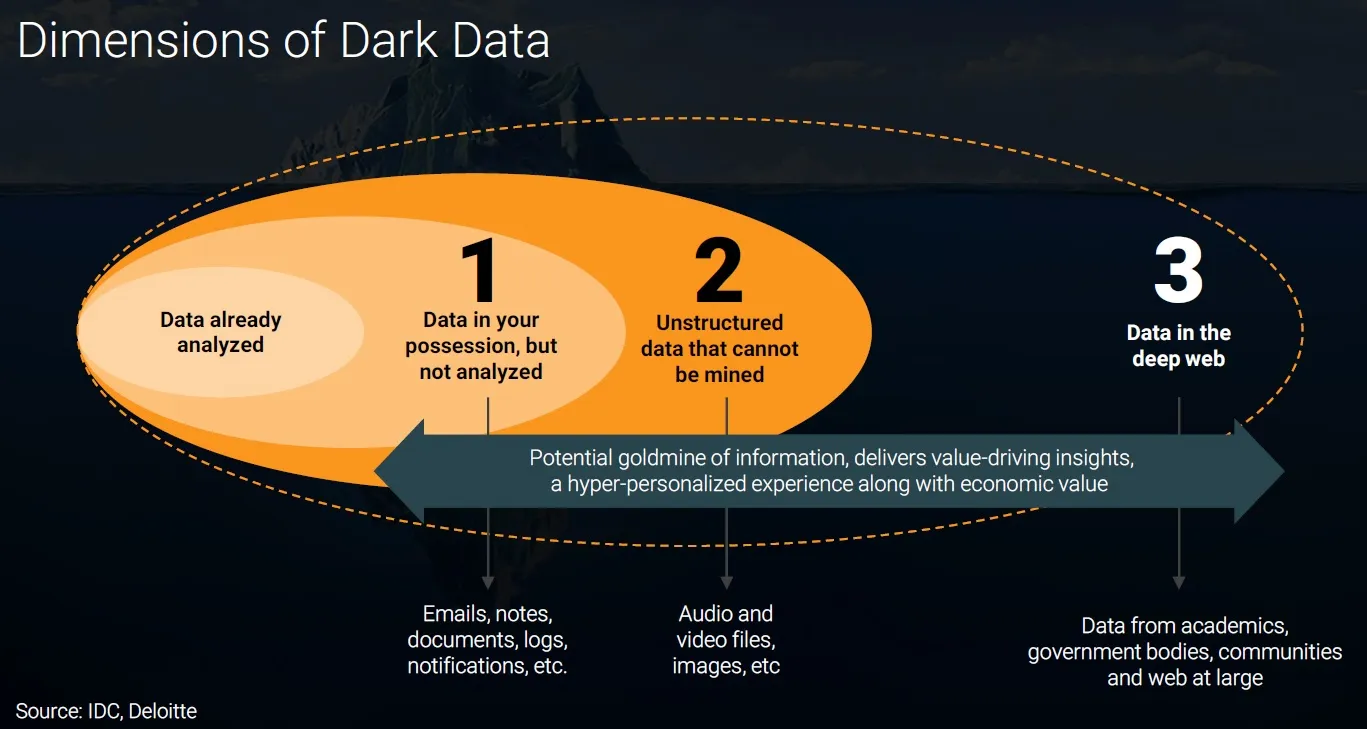
Furthermore, because overlays don't save this data to your database, search engines can't see it either. You lose the SEO benefits entirely. True compliance requires fixing the "dark data", the unoptimized assets sitting on your server.
Fixing the Root Cause with AltText.ai
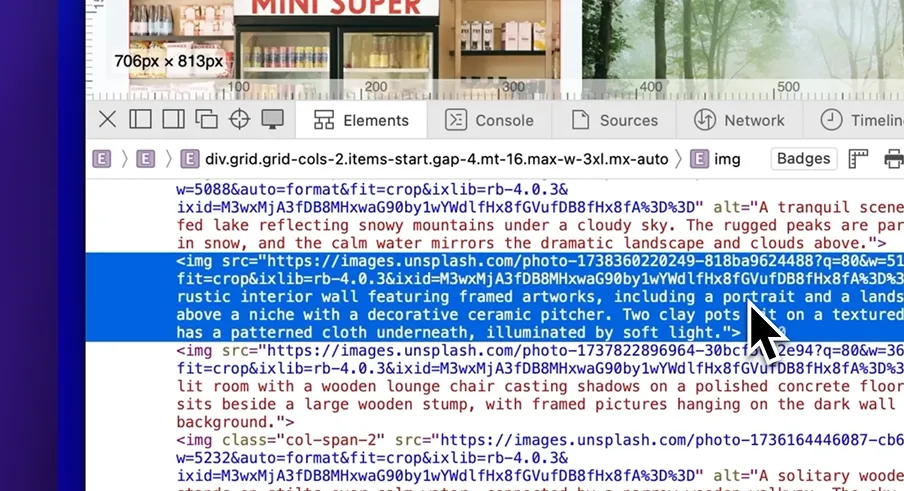
This is where solutions like AltText.ai differ fundamentally from overlays. Instead of masking the problem, AltText.ai fixes it at the source. It analyzes your images and writes descriptive, accurate alt text directly into your website's HTML or media library.
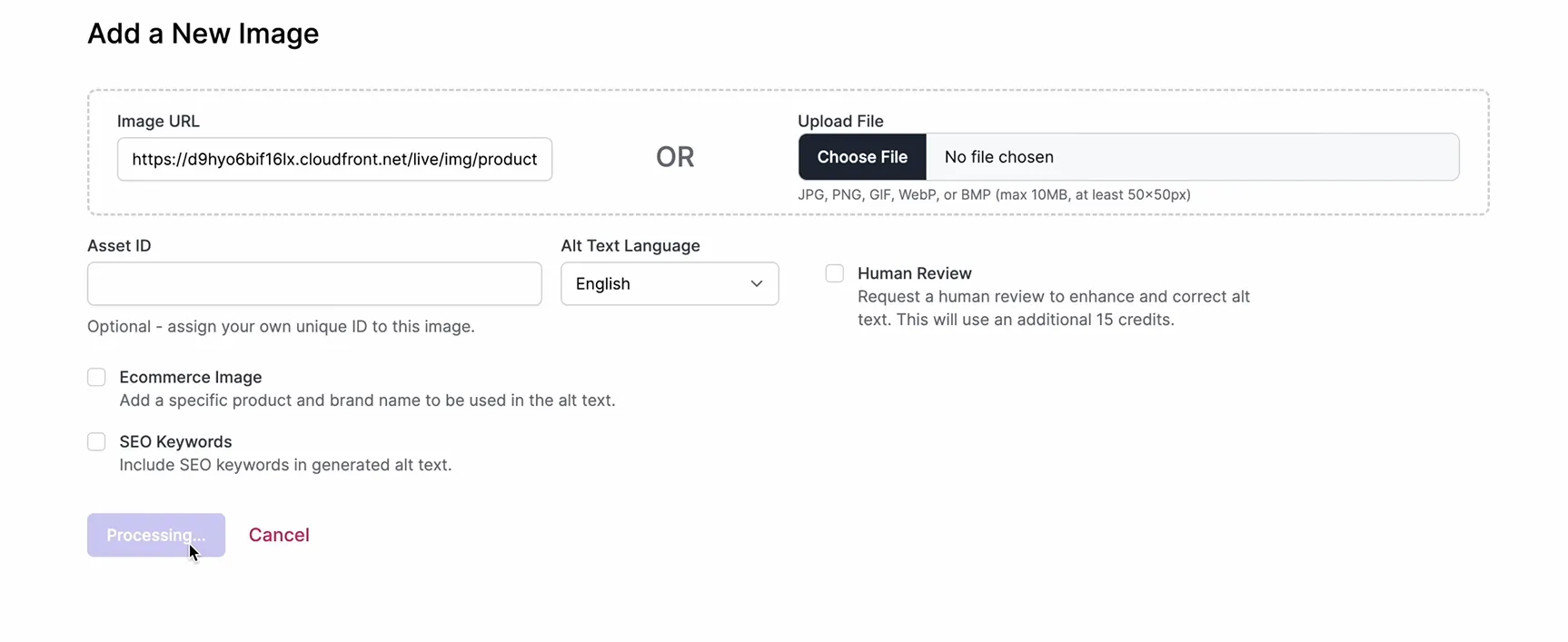
By using AltText.ai, you are modifying the actual structure of your site. This means when a screen reader visits your page, it reads the code exactly as it was meant to be read.
You aren't relying on a plugin that detects only 30% of issues; you are solving the image accessibility problem 100%. This is the standard of ADA website compliance that courts are looking for native, robust, and permanent accessibility.
Practical Steps for Real Compliance
Relying on an overlay? You probably have a false sense of security. Here's how to actually fix it:
Audit your code. Use automated scanners to find structural errors. Just remember they only catch maybe 30% of issues.
Fix alt text permanently. AltText.ai writes descriptions directly into your database. Every image in your library gets a permanent description. 59% of screen reader users rely on this to understand visual content.
Test with a keyboard. Put your mouse away. Navigate your entire site using only Tab and Enter. Get stuck? Screen readers will too.
Ditch the overlay. Once your site actually works, remove the widget. It's probably causing more problems than it solves.
Conclusion
The Domino's pizza case taught us that digital accessibility is a civil right, not a feature request. While overlays offer a tempting shortcut, the fact that 25% of lawsuits now target them proves they are a failed strategy. They are akin to putting a ramp over a set of stairs that is too steep to climb, it looks helpful, but it doesn't solve the problem.
Achieving lasting ADA website compliance requires a commitment to fixing your digital foundation. By focusing on clean code and using tools like AltText.ai to permanently solve image accessibility, you ensure that your "digital front door" is truly open to everyone. Don't wait for a lawsuit to tell you what the courts told Domino's: accessibility must be built-in, not bolted on.
Fix your image accessibility at the source
Overlays mask the problem. AltText.ai fixes it permanently by writing accurate alt text directly into your database. Works with WordPress, Shopify, and any platform.
FAQs
Did Domino's lose the ADA lawsuit?
Yes, effectively. The courts ruled against Domino's attempts to dismiss the case, establishing that the ADA applies to websites. The plaintiff was eventually awarded $4,000 in statutory damages under state law, but Domino's spent millions fighting the precedent.
Can I just use a plugin for ADA website compliance?
If the plugin is an "overlay" that sits on top of your site, it is risky. Statistics show a 62% increase in lawsuits against such sites. However, plugins that fix the actual content- like AltText.ai, are excellent because they remediate the source code permanently.
Why do screen reader users dislike overlays?
Blind users spend years mastering complex software like JAWS. Overlays often override standard commands, disrupting the user experience. Studies show the majority of daily screen reader users find these overlays "difficult" or "somewhat difficult" to use.
Is manual remediation expensive?
It requires investment, but it is cheaper than a lawsuit. Furthermore, using AI tools that write to the database (like AltText.ai) significantly reduces the cost of achieving ADA website compliance compared to manual writing, without the downsides of overlays.
How does alt text affect compliance?
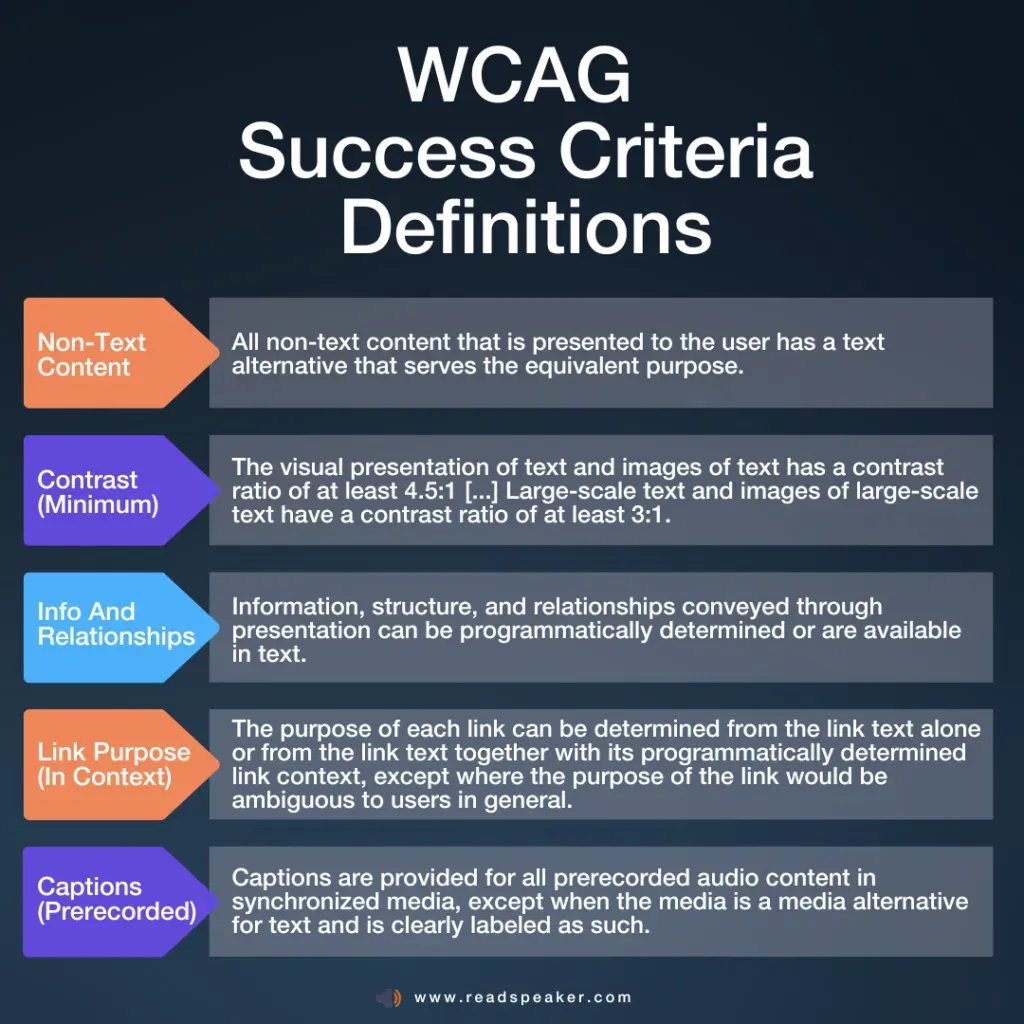
Alt text is a WCAG requirement (Success Criterion 1.1.1). Without it, a blind user has no way of knowing what an image conveys. Ensuring every meaningful image has text alternatives is a non-negotiable part of ADA website compliance.