Setup time
Time saved
Languages
2.1 AA Compliant
Native DatoCMS Plugin
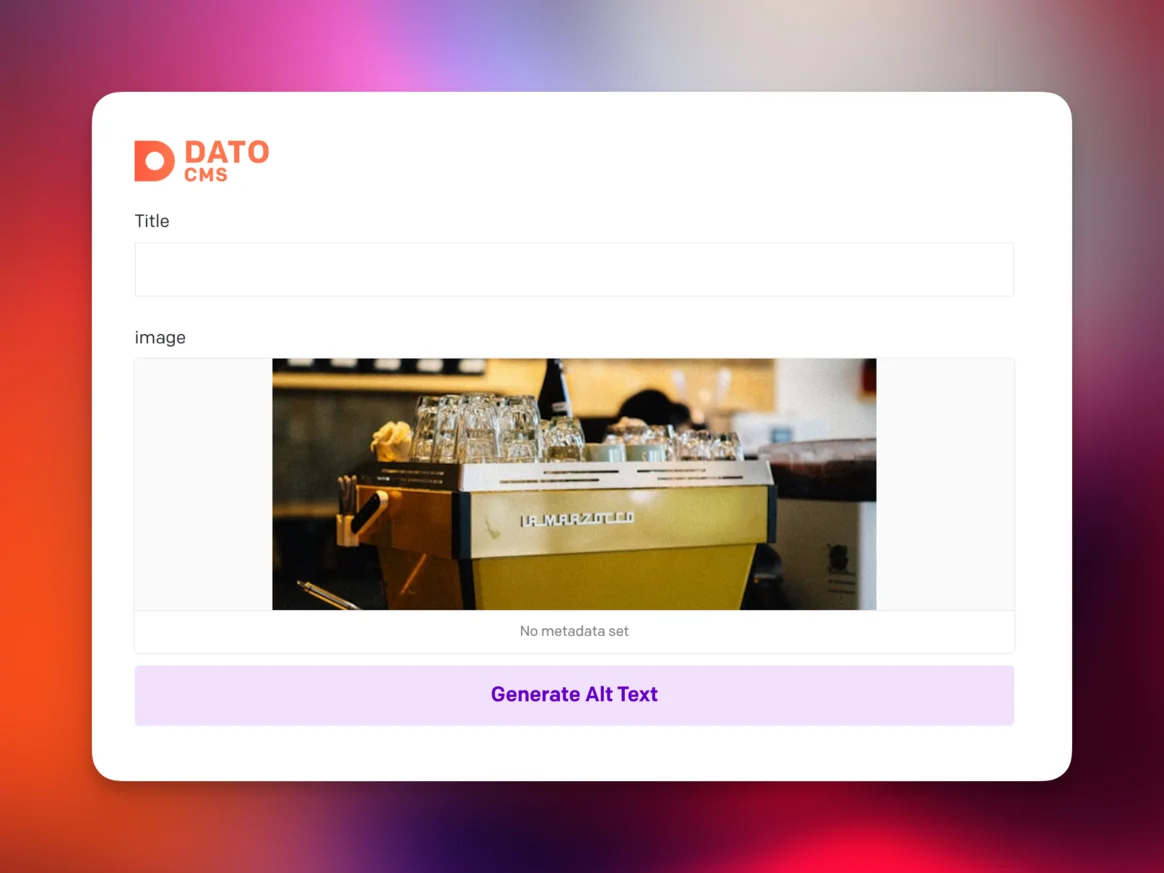
Install directly from the DatoCMS Marketplace. Our plugin integrates seamlessly with the DatoCMS editor, adding AI-powered alt text generation right where you manage your media assets.
One-Click Generation
Select any image in your media library and click generate. AI-powered descriptions appear in seconds, automatically saved to your asset's alt field.
Custom Field Mapping
Want alt text in a custom field instead of the default? Configure the plugin to write to any text field in your DatoCMS schema.
How DatoCMS Alt Text Automation Works
Get started in under 3 minutes:
Install from Marketplace
Add AltText.ai from the DatoCMS Marketplace. One click to install—no code required.
Connect Your API Key
Create a free account, copy your API key, and paste it into the plugin settings.
Generate Alt Text
Click the generate button on any image. Alt text appears instantly and saves to your asset's metadata.
Why DatoCMS Users Choose AltText.ai
Built specifically for headless CMS workflows:
Zero Build Time Impact
Alt text generation happens on our servers, not during your site builds. Your CI/CD pipeline stays fast—we add zero overhead to your deployment process.
Scale With Your Content
Whether you're managing hundreds or hundreds of thousands of assets, our infrastructure handles the volume. Process existing libraries in bulk or generate on-demand.
Review Before Publishing
Generated alt text appears in your asset's edit form. Review, tweak if needed, then save. You maintain full editorial control over every description.
Product-Aware AI
Running an e-commerce site on DatoCMS? Our AI recognizes product images and generates descriptions that include product names, features, and context.
Multi-Language Support
Generate alt text in 130+ languages. Perfect for international content teams working with DatoCMS's localization features.
Multi-Project License
One AltText.ai account works across all your DatoCMS projects. Agencies and teams can manage multiple sites without juggling separate subscriptions.
AltText.ai vs. Manual Alt Text Writing
Manual Process
- Write alt text for every image individually
- Inconsistent quality across team members
- Time-consuming for large content libraries
- Easy to forget or skip images
AltText.ai Plugin
- One-click generation for any image
- Consistent, high-quality descriptions
- Process entire libraries in minutes
- Never miss an image again
Common DatoCMS + AltText.ai Workflows
Headless E-commerce
Product images flow through DatoCMS to your Next.js or Gatsby storefront. Alt text generates as you upload, ensuring every product image is accessible and SEO-optimized.
Used by: Direct-to-consumer brands, digital commerce teams
Marketing Websites
Marketing teams upload campaign images constantly. Instead of bottlenecking on accessibility reviews, generate compliant alt text instantly and ship faster.
Used by: Marketing agencies, growth teams, brand managers
Blog and Editorial
Content teams publish daily without slowing down for manual alt text. Writers focus on headlines and copy while AI handles image descriptions.
Used by: Media companies, content publishers, editorial teams
Multi-Site Agencies
Managing DatoCMS projects for multiple clients? One AltText.ai account covers all of them. Install the plugin once per project, share a single API key.
Used by: Digital agencies, web development shops
What DatoCMS Users Say
"We use DatoCMS for 8 client projects. The plugin install took 2 minutes per project, and now every client gets AI-powered alt text without us lifting a finger."
Ryan Torres
Agency Technical Lead
"Our editorial team was spending 2 hours a week on alt text. Now it's automatic. That's 100+ hours a year back in the content creation budget."
Emma Richardson
Content Director
"I was worried AI wouldn't understand our product photography. It does. The descriptions are accurate, natural, and actually mention our product names."
Kevin Park
E-commerce Manager
Simple, Transparent Pricing
Annual plans include rollover credits. Pick the tier that matches your image volume.
Bronze
Perfect for personal blogs and portfolios
$49/year
1,200 credits (4¢ per image)
View Bronze planSilver
Growing websites and small businesses
$189/year
6,000 credits (3¢ per image)
View Silver planGold
E-commerce stores and content teams
$489/year
24,000 credits (2¢ per image)
View Gold planPlatinum
Enterprise publishers and platforms
$2199/year
120,000 credits (<2¢ per image)
View Platinum planNeed more? Contact us for enterprise pricing.
DatoCMS Alt Text FAQs
FAQ
-
No. Alt text generation happens on our servers when you click the generate button in the DatoCMS editor. Your build process remains unchanged—we add zero overhead to your CI/CD pipeline. The alt text is stored in DatoCMS just like any other field data.
-
Yes. The plugin configuration lets you specify which field receives the generated alt text. If your schema uses a custom text field for image descriptions, point the plugin at that field and it will write there instead.
-
Yes. Our AI is trained to recognize product imagery and generate descriptions that include visible product features, colors, materials, and context. For even better results, enable our Ecommerce Vision feature which incorporates product names and metadata into the descriptions.
-
Absolutely. Generated alt text appears in your asset's edit form where you can review, edit, or regenerate before saving. You maintain full editorial control—nothing publishes without your approval.
-
Yes. Your AltText.ai API key works across all your DatoCMS projects. Agencies managing multiple client sites can install the plugin on each project and use a single account for billing and management.
-
We support 130+ languages for alt text generation. Generate in your site's primary language or use our translation feature to create localized descriptions for multilingual DatoCMS projects.
-
The generate button will notify you when credits are low or exhausted. You can purchase additional credits anytime, upgrade your plan, or wait for your next billing cycle. Unused plan credits roll over when your plan renews normally on its regular cycle.
Nothing found.
If you can't find what you're looking for, please contact our customer support team.
Related Integration Solutions
Using other platforms alongside DatoCMS? We integrate with these too:
Contentful Alt Text Integration
Marketplace app for Contentful with one-click installation.
Storyblok Integration
Webhook-based integration for Storyblok headless CMS.
Bulk Processing Options
Process thousands of images at once via API or CSV.
Webflow Alt Text Integration
Native Webflow app that fills CMS alt text automatically, with a Designer panel and bulk import.
Ready to Automate Your DatoCMS Image Accessibility?
Stop writing alt text manually. Install the plugin in 3 minutes and let AI handle the tedious work.
Free trial, no credit card needed. 25 images included.