Out of Stock Image SEO: Keep Traffic When Inventory Runs Low
The hidden cost of deleting product pages and how image SEO saves revenue
Peak shopping seasons are the Super Bowl of e-commerce. Traffic spikes, orders pour in, and inevitably, your best-sellers sell out. While a "Sold Out" banner might seem like a sign of success, it can be a silent killer for your search rankings.
When a product page dies, so does the traffic coming from its images. In the rush to manage inventory, many store owners overlook a critical strategy: SEO for out of stock products.
By mishandling these pages, you risk losing valuable organic footprint just when you need it most. This guide explores how to maintain your rank, keep users engaged, and use image metadata to save your seasonal revenue.
Key Takeaways
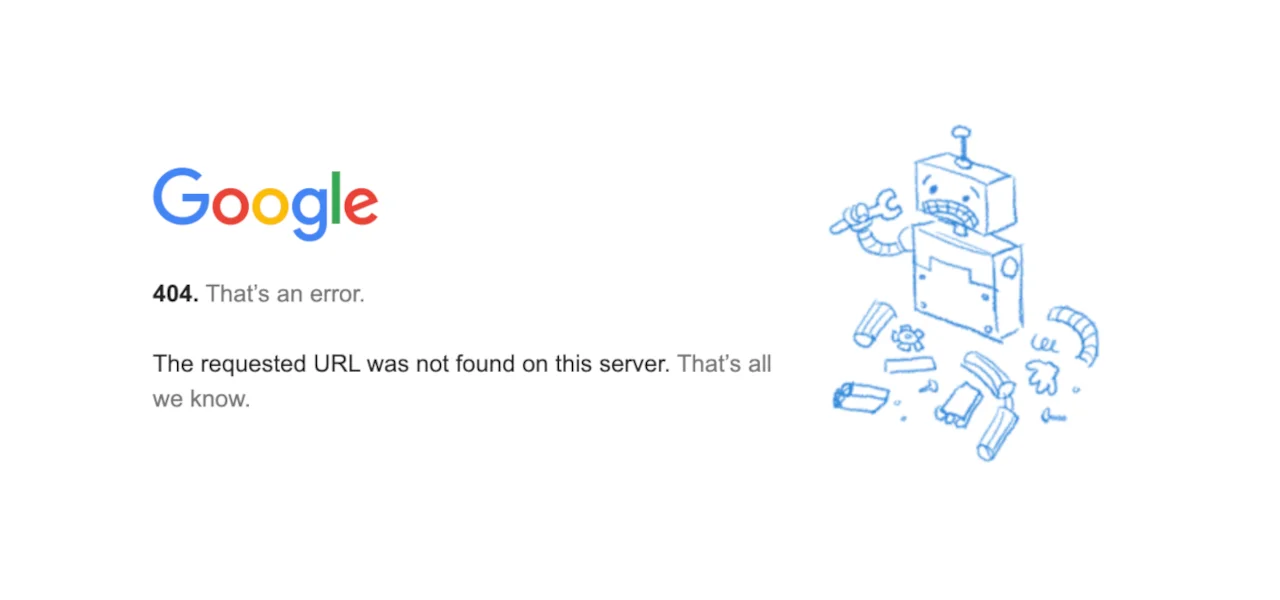
- Deleting out-of-stock pages immediately creates 404 errors, killing both page and image SEO authority.
- SEO for out of stock products relies on distinguishing between temporary and permanent unavailability.
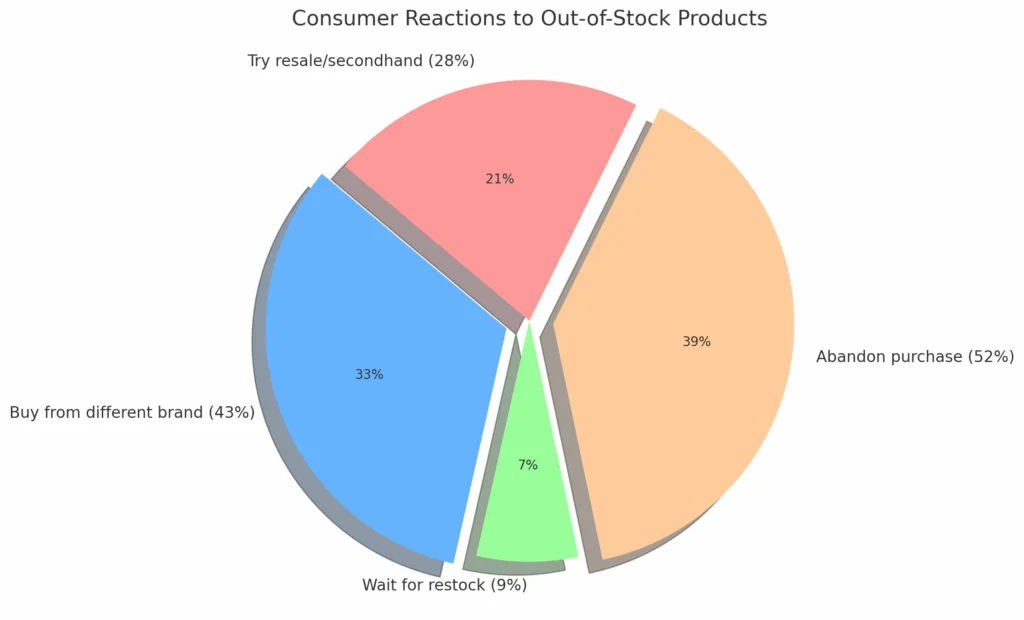
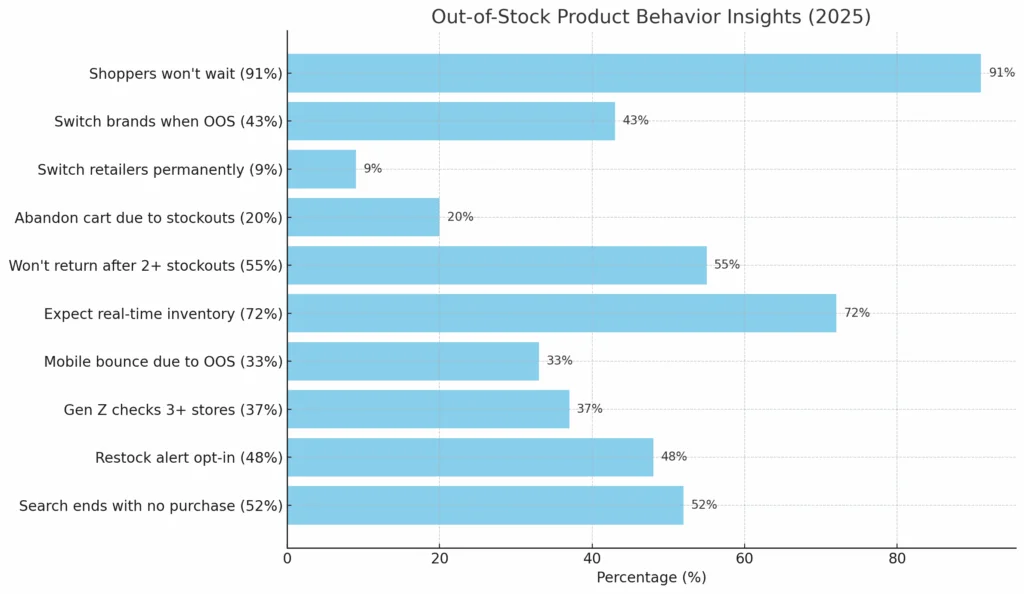
- 91% of shoppers won't wait for a restock; they will switch to a competitor if not guided elsewhere.
- Images on out-of-stock pages often drive significant traffic; removing the page de-indexes these lucrative assets.
- AltText.ai automates image attributes, ensuring your visual content continues to rank even when inventory is low.
The Hidden Cost of "Sold Out"
Peak season hits. Inventory goes wild. Your best seller hits zero stock and the instinct is to disable the page immediately.
Bad idea.
Out-of-stock pages can spike bounce rates by 32%. Worse? Globally, $1 trillion in sales is lost each year from mishandled stockouts.
Delete a product page? You trigger a 404. Google sees it as gone. The backlinks that page earned? Gone. The search rankings? Gone.
Smart SEO for out of stock products preserves that value. Keep the link equity flowing even when the physical product isn't shipping.
Scenario A: The Product is Coming Back (Temporary)
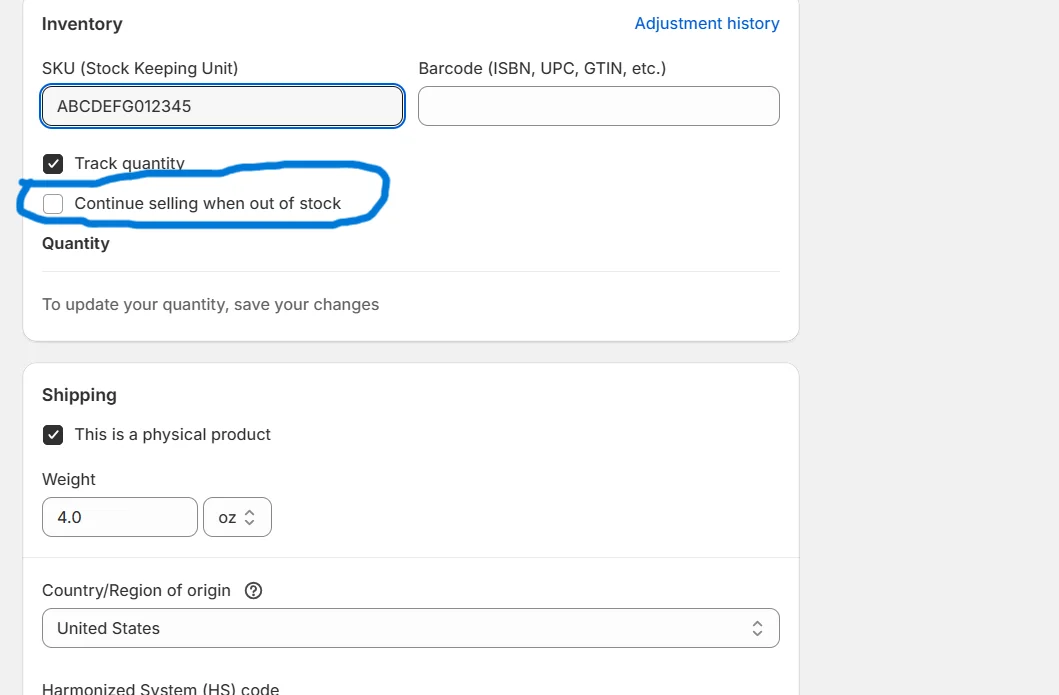
If a popular item is temporarily unavailable, do not disable the page. Deleting it removes it from the index, meaning customers can't find you when they search for it. Instead, keep the URL live.
- Keep the Page Visible: Leave the page up so it keeps ranking for your target keywords.
- Add a "Notify Me" Feature: Capture the user's email. This turns a disappointed visitor into a future lead.
- Pause Ad Spend: Ensure you aren't paying for clicks to an empty shelf, but let organic traffic continue to arrive.
- Offer Alternatives: Display similar in-stock items prominently. Since 91% of consumers won't wait for a restock, you must give them an immediate alternative to prevent them from bouncing to a competitor.
- Leave the Price: Some SEO experts suggest keeping the price visible to maintain schema markup validity, which helps with SEO for out of stock products.
Scenario B: The Product is Gone Forever (Permanent)
If a seasonal item is discontinued, leaving the page up frustrates users. However, a hard 404 deletion is still not the best first move.
- 301 Redirects are Key: Redirect the URL to the most relevant equivalent product. If you sold a "Red Cotton T-Shirt 2025" that is never coming back, redirect it to "Red Cotton T-Shirt 2026" or the general "Cotton T-Shirts" category.
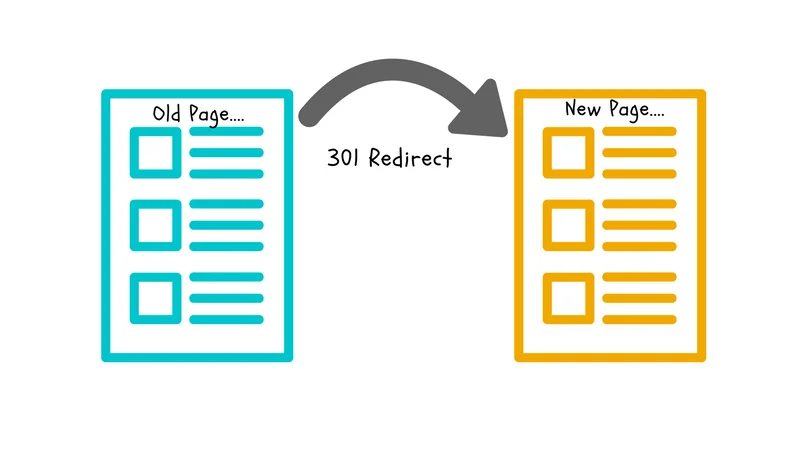
- Avoid Homepage Redirects: Redirecting a specific product to your homepage is a bad practice. Google treats these as "Soft 404s" because the content is unrelated to the user's search intent.
- The 410 Status Code: If the product was low-value, had no traffic, and no backlinks, you can use a 410 (Content Deleted) status code. This tells Google to remove it faster than a 404.
Why Image SEO Matters When Stock is Zero
This is the secret weapon of SEO for out of stock products: your images. Google Images is a massive driver of traffic, often accounting for over 20% of total search queries.
When you delete a product page, the associated images are eventually de-indexed. If your product image was ranking in the top row of Google Images for "Best Gift for Dad," deleting the page kills that ranking.
By managing your redirects or keeping the page live with a "temporarily out of stock" notice, you keep those images in the search results. A user might click the image, land on your site, see the item is out of stock, but click on the "Related Products" you wisely displayed.
Optimizing Metadata to Retain Traffic
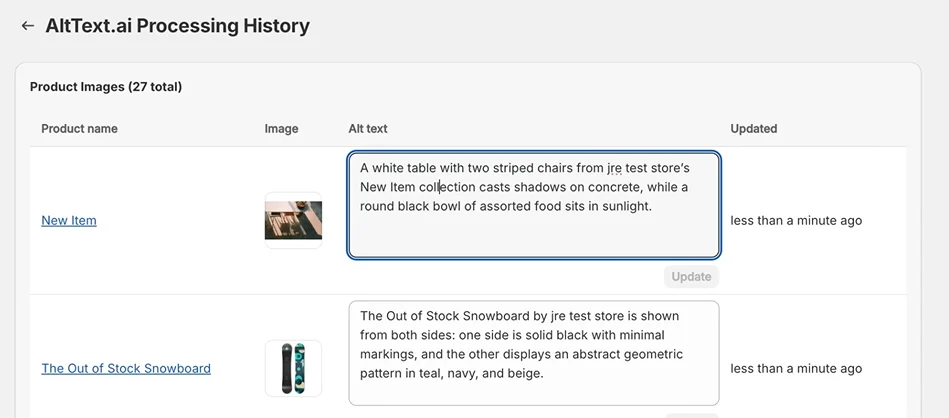
To maximize the value of your visual assets, your image metadata must be pristine. Even if a product is out of stock, its alt text is working hard to pull in traffic.
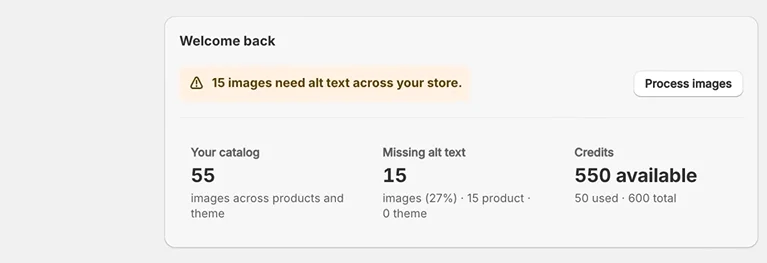
- Descriptive Alt Text: Ensure alt text describes the visual aspects of the product (e.g., "Red knit sweater with reindeer pattern"). This matches the visual intent of shoppers.
- Contextual Relevance: Search engines use the text surrounding the image to understand context. If you redirect a page, ensure the new page has similar context so the image remains relevant.
- Update, Don't Delete: If you have a new version of a product, update the image and alt text on the existing URL rather than creating a new URL. This preserves the history and authority of the original page, a core tactic in SEO for out of stock products.
Automating Your Image Strategy with AltText.ai
During peak shopping seasons, you don't have time to manually write alt text for thousands of SKUs or update redirects for images.
This is where automation becomes essential. AltText.ai uses advanced AI to analyze your product images and generate SEO-optimized alt text automatically.
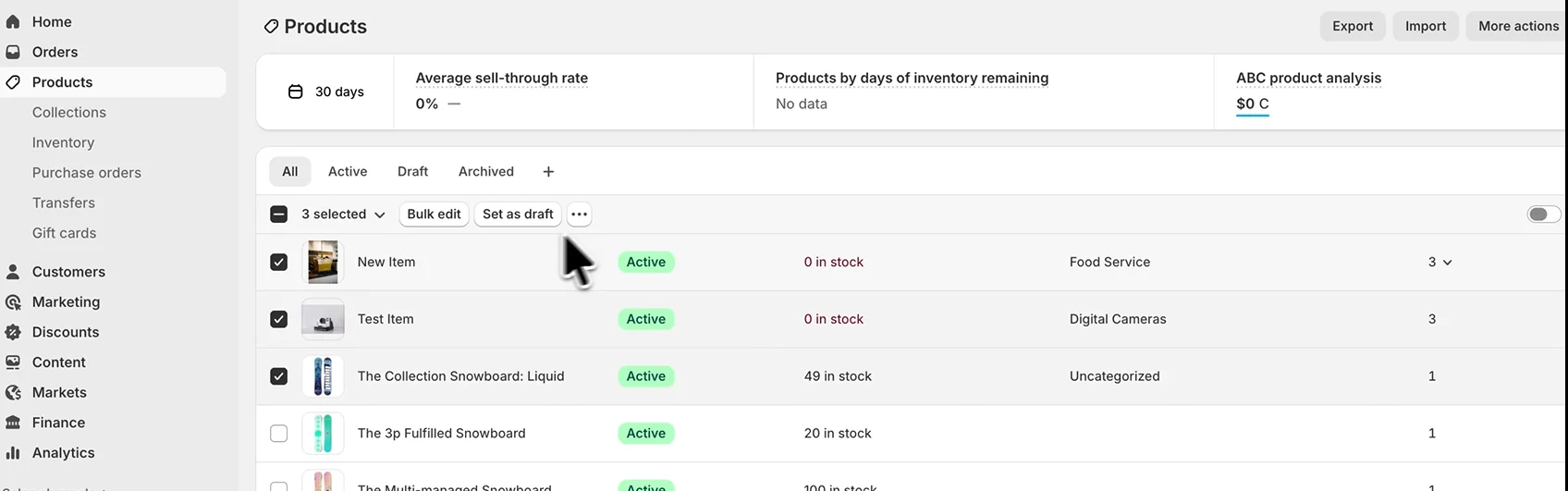
By integrating AltText.ai with your Shopify, WooCommerce, or WordPress store, you ensure that every product, whether in stock or out, has robust metadata. This "always-on" optimization helps you capture long-tail search traffic via Google Images.
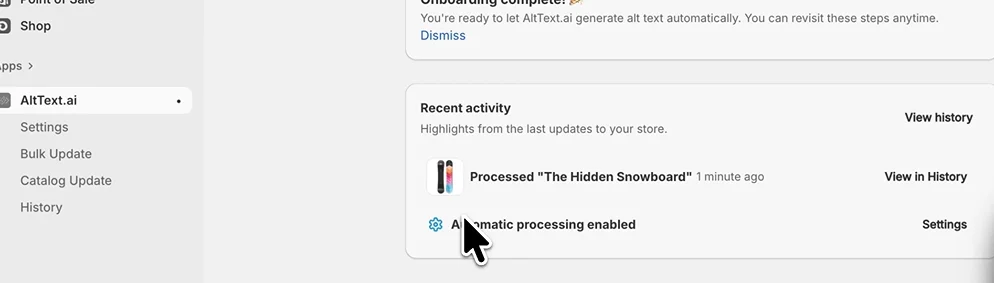
When you practice proper SEO for out of stock products, you rely on every possible entry point to your site. High-quality alt text ensures that even if your shelves are momentarily empty, your digital doors remain wide open. Stop losing traffic. Automate your Image SEO with AltText.ai today.
Conclusion
Peak shopping seasons are too short to lose revenue to technical errors. Managing your inventory is about more than just logistics; it is about preserving your digital presence. By understanding the nuances of SEO for out of stock products, you can turn a potential loss into a retention opportunity.
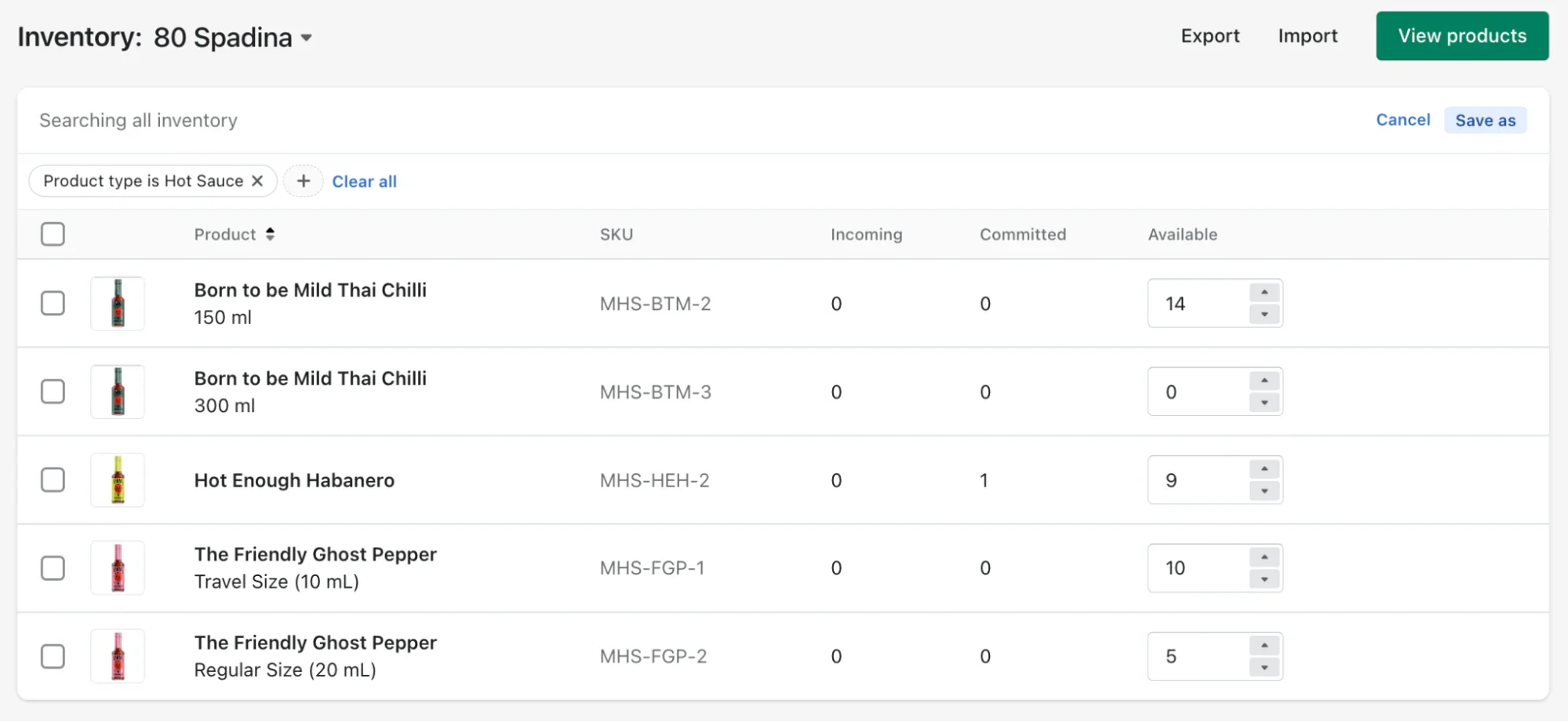
Remember, a "Sold Out" sign shouldn't mean "Page Not Found." Keep your pages alive, redirect intelligently, and leverage your images to keep potential customers landing on your site.
With tools like AltText.ai, you can ensure your visual content works for you 24/7, driving traffic even when the warehouse is empty.
Don't let stockouts drain your traffic. Ensure every image on your site is driving customers to your store. Start Your Free Trial of AltText.ai now!
FAQs
1. Should I unpublish out-of-stock products?
No, unpublishing usually results in a 404 error, which hurts your SEO for out of stock products. If the item is coming back, leave the page published with a "Notify Me" form. If it is gone forever, 301 redirect it to a similar product.
2. How do 301 redirects affect image SEO?
A 301 redirect transfers the ranking power of the old URL to the new one. This includes the images on the page. By redirecting to a relevant product, you give your images the best chance of retaining their positions in Google Images search results.
3. Does alt text help if the product is not available?
Yes. Shoppers often browse Google Images for inspiration. Effective alt text helps your image rank. If a user clicks through and sees the item is out of stock but sees a relevant alternative, you have still saved the sale. This is a vital part of SEO for out of stock products.
4. What is the difference between a 404 and a 410 status code?
A 404 means "Page Not Found," implying it might be a mistake. A 410 means "Gone," telling Google the deletion is intentional and permanent. Use 410 for low-value pages you want removed from the index quickly to clean up your SEO for out of stock products.
5. Can AltText.ai update my existing product library?
Yes. AltText.ai can bulk-process your existing media library. This is perfect for pre-season prep, ensuring all your historical products are fully optimized to capture maximum traffic year-round.
Stop losing traffic to stockouts
AltText.ai keeps your image metadata working even when inventory is low. Automate alt text for your entire catalog so every product page drives traffic 24/7.