Product Updates - Summer 2026
Google Drive alt text, live CSV import progress, Shopify alt text in every language, import and export history, WordPress page builders, multilingual upgrades, MCP server, and more
We've shipped a lot over the last few months — new ways to get your images in, smarter handling once they're here, and alt text that follows your content everywhere it lives. Here's the catch-up, newest and biggest first.
Google Drive: Pick a folder, walk away
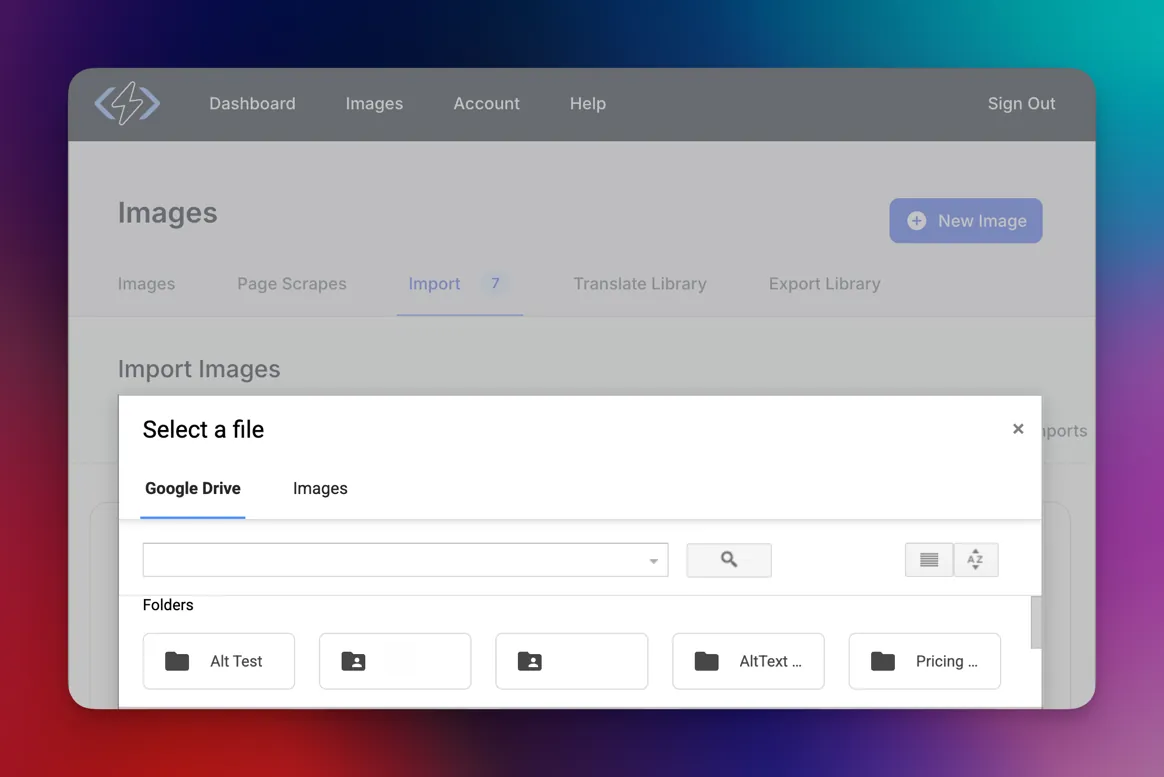
Connect your Google account once with one-click OAuth — no API keys — pick a folder in the file picker, and we pull every image in it into the batch automatically, subfolders included up to five levels deep. When generation finishes, the alt text writes back into each file's description field in Drive, so your descriptions live right where your images already do. Share, move, or sync the file and the alt text travels with it.
Set your language, add custom prompt instructions, and skip images that already have alt text before you submit. Connect Google Drive or read more on the Google Drive integration page.
CSV imports: Watch progress in real time
Bulk CSV imports no longer leave you guessing. They stream live progress as they run — watch images complete, see a running count, and catch errors the moment they happen, all without refreshing. Migrating a big image library or a batch of CDN URLs is no longer a black box. When it's done, write the results straight back to your platform or download a CSV with alt text for every image. Start a CSV import.
Shopify: Alt text in every language your store speaks
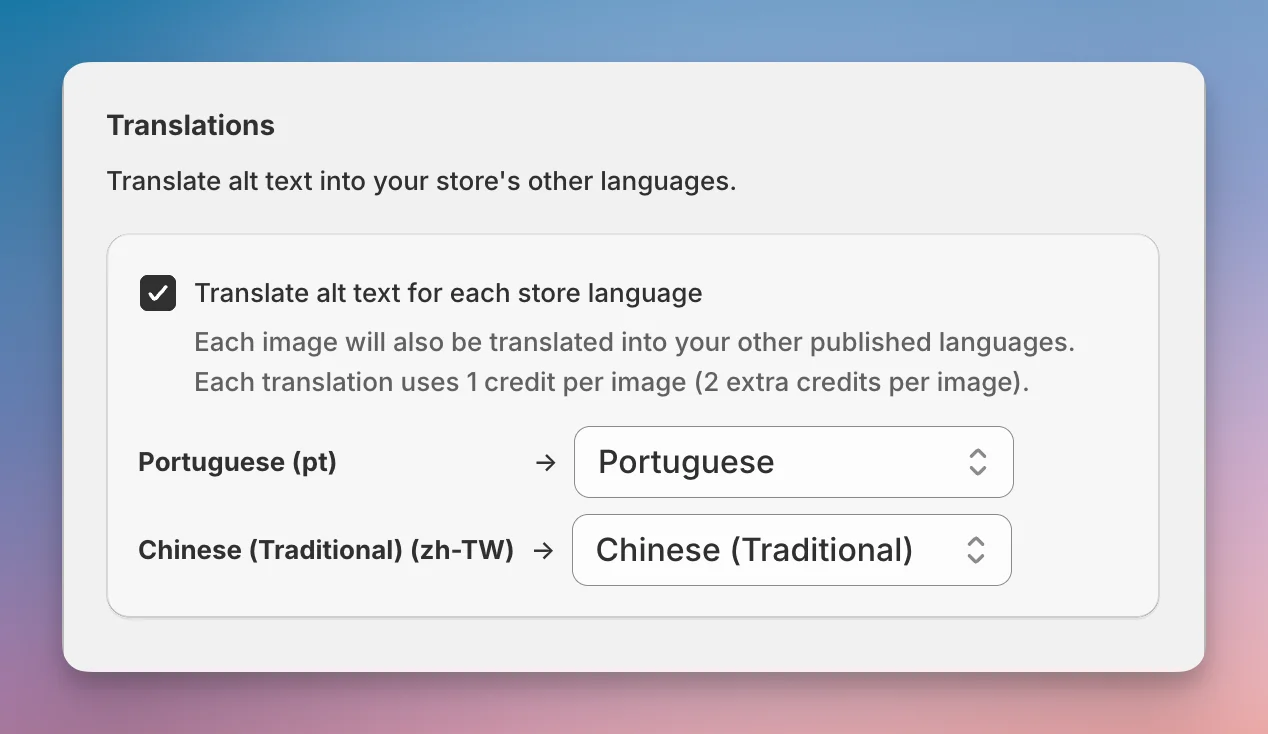
If you sell in more than one language, your alt text now keeps up automatically. Generated descriptions translate and sync to every locale you've published in Shopify — a shopper in Portuguese sees Portuguese, a shopper in Traditional Chinese sees Traditional Chinese — with no CSV exports or manual re-uploads, billed as one credit per language. The dashboard also now splits your catalog into "has alt text" and "missing alt text" so you can see what's left at a glance. Flip it on under Settings → Translation → Enable Translation Sync, available now in the Shopify app.
Import and export history you can come back to
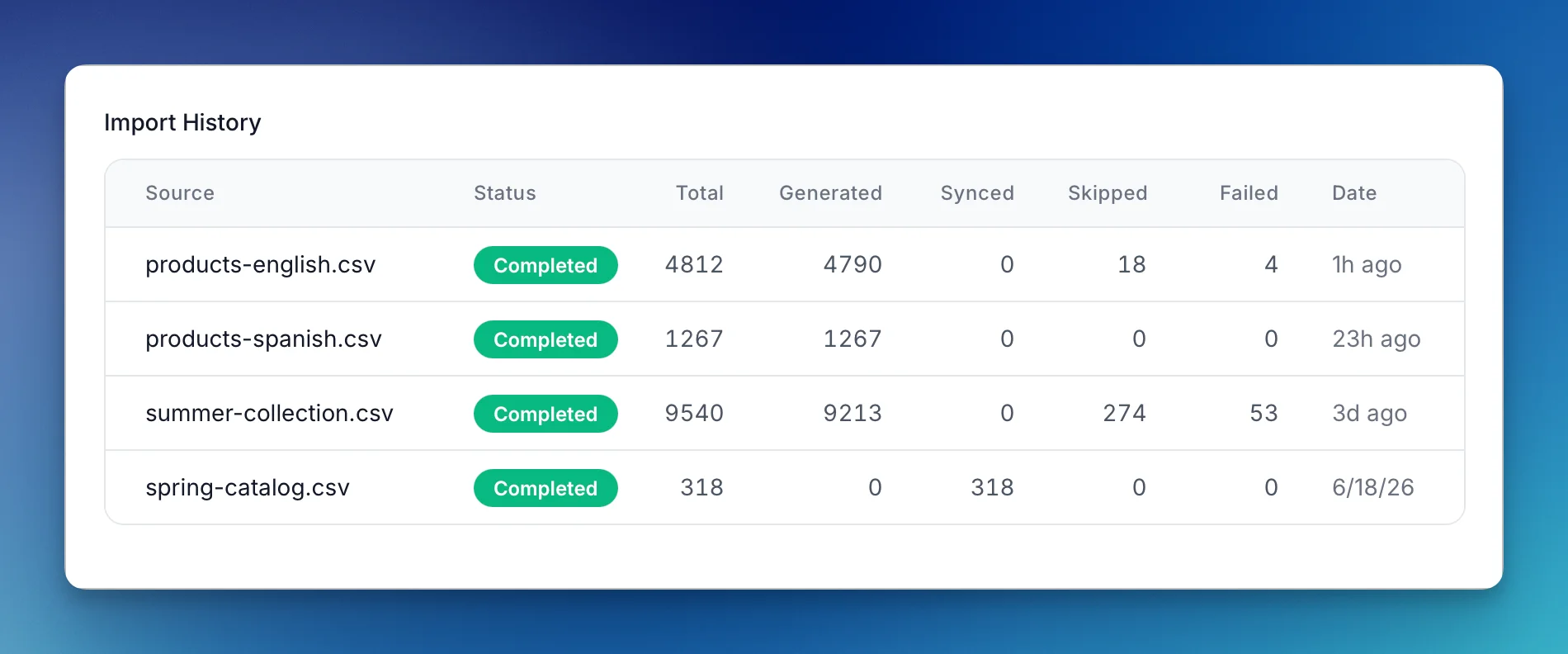
Every import now sticks around. CSV, Cloudinary, and Storyblok runs all land in a persistent, paginated import history with full status, per-run counts, and the ability to cancel a job that's still running. Come back a week later and see exactly what you brought in and how it went.
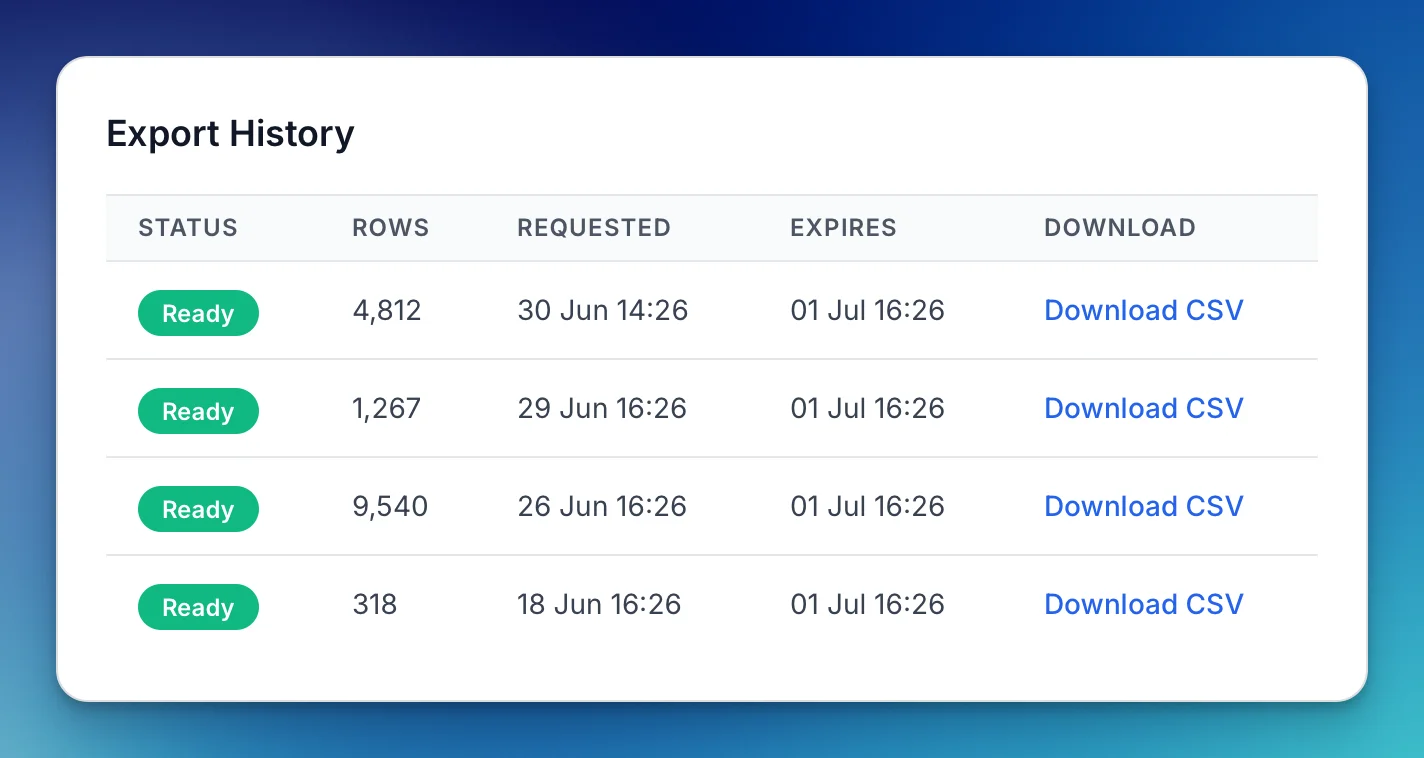
Exports work the same way. Every export lives in its own history with live status — queued, processing, completed — and a re-download link right in the list, so last month's file is one click away instead of a job you rerun from scratch. Together they give you a full record of what's gone in and what's come out.
WordPress: Works with your page builder now
Page builders have always been the blind spot for alt text — Elementor, Divi, Beaver Builder, and YOOtheme Pro each store images their own way, and many tools dropped your descriptions the moment you opened the editor. Now alt text syncs correctly on builder-made pages and stays put through editing. Update to the latest WordPress plugin version to get it.
InstantAlt: JSON-LD schema on every page
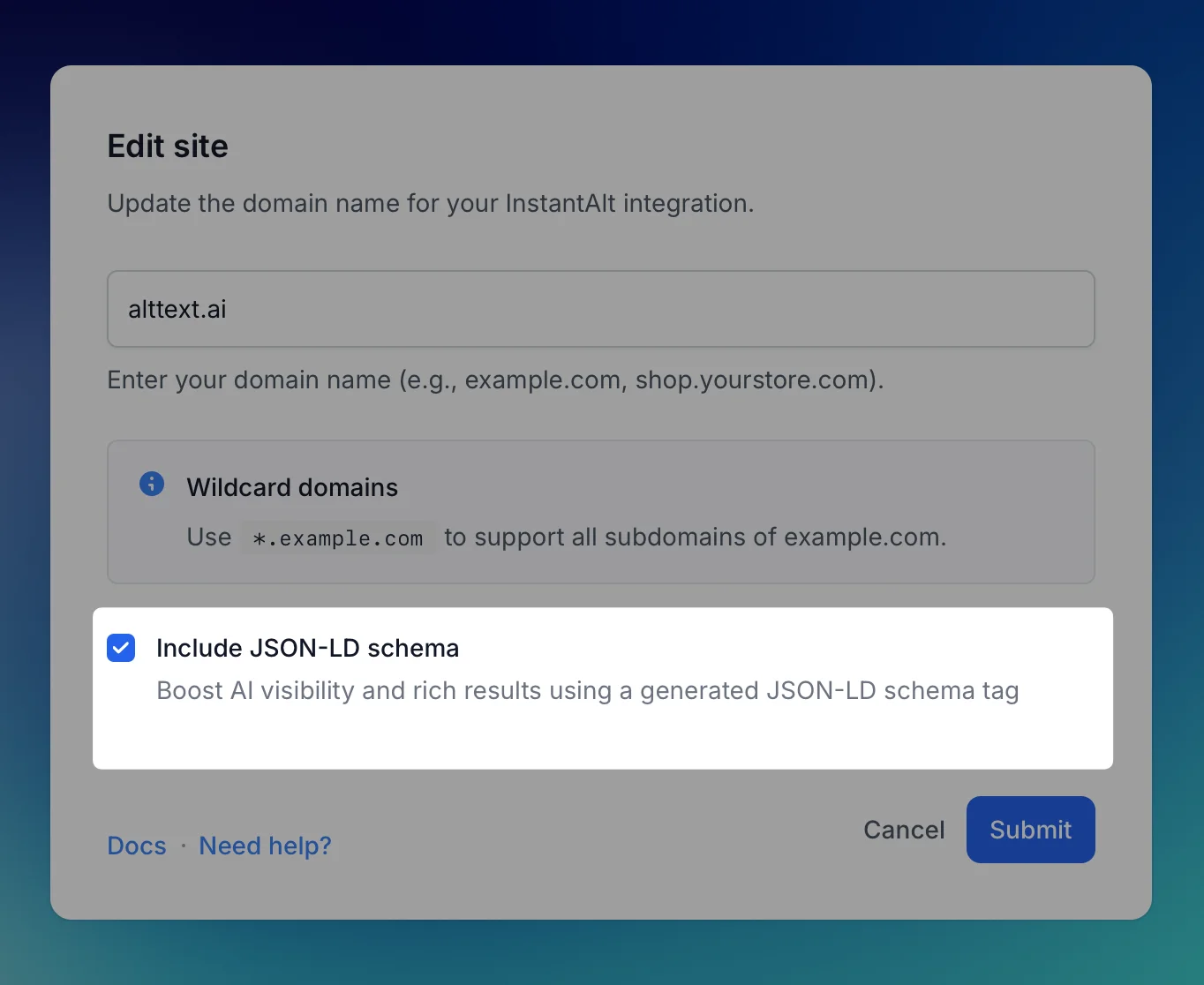
The same one-line script that handles your alt text now injects structured data on every page — one checkbox in your InstantAlt settings, no new code to write. ChatGPT, Perplexity, and Google's AI Overviews lean on JSON-LD schema to understand a page and decide whether to cite it, and most sites give them nothing to work with. Flip this on and yours hands them a clean, machine-readable description of every page. Enable it in your InstantAlt settings.
More ways to bring your images in
Storyblok. Bulk-import your existing Storyblok assets with progress tracking and automatic retry — no API calls, no scripts. We handle Storyblok's rate limits so big jobs run to completion instead of dying halfway through. Try the Bulk Updater.
Cloudinary at scale. Enter multiple folder paths, one per line, and each is queued as its own import. We also crushed a stall bug on very large libraries — accounts with 232,000+ images in a single folder now complete reliably. Start a Cloudinary import.
Better multilingual support
Polylang sites now get automatic translations, matching the WPML experience. Chinese — Simplified and Traditional — plus modern regional language codes now generate in the correct language instead of falling back to English. And on WordPress, a new bulk multilingual CSV import lets you upload alt text for thousands of images across multiple languages in one file. More on the WordPress plugin.
For developers and larger teams
MCP server. Hook AI tools like Claude straight into AltText.ai to generate and manage alt text through the API — describe a batch, check status, update records — without copying anything between tools. See the MCP server.
WP-CLI commands. Drive generation from the command line with wp alttext generate and wp alttext status — script it into cron jobs, deploys, and CI. More on the WordPress plugin.
WordPress Multisite. Run one API key across your whole network and manage every site's settings centrally — built for agencies and multi-brand setups. WordPress plugin details.